- Использовался AI
- Нет
- Языки
- Английский
- Требуемый плагин
-
The four file types
| File type | How to spot it | Goes in |
|---|---|---|
| Boat design (CopyPaste) | Large file with "entities" and "protocol". This is the actual ship structure. | oxide/data/copypaste/ |
| Profile | Has "Profile Name", "CopyPaste File Names", "Difficulty Tier" | oxide/data/RaidableBoats/Profiles/ |
| Loot table | List of items with "Item Shortname", "Drop Chance Percent" | oxide/data/RaidableBoats/LootTables/ |
| Config | Named RaidableBoats.json, starts with "Version" | oxide/config/ (see warning) |
Install
- Drop each file in its folder from the table.
- Run rboat.reload then rboat.validate.
- rboat.validate lists anything wrong (missing design, missing loot table, bad tier). Fix it and run again until clean.
- Boat never spawns. Run rboat.profiles, confirm it's listed and Enabled.
- CopyPaste file not found. The design isn't in your copypaste folder, or the profile's name doesn't match it.
- Too many boats. That's your config. Lower "Maximum Active Boats" and the maintained counts.
- Want full detail on one boat. Run rboat.info <profile name>.
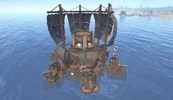
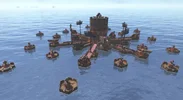
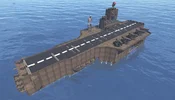
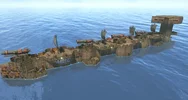
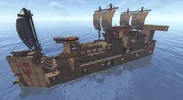
Boats are built from Copy Paste files, meaning any player-designed boat can become a raidable event. A profile system ties each boat design to a difficulty tier, controlling NPC health, cannon accuracy, loot quality, and rewards. Boats spawn on a timer or are maintained at a target count, cruise between waypoints, and despawn after a configurable lifetime or once the raid is completed.
The plugin handles the full lifecycle: ocean pathfinding, NPC combat (both cannon-mounted and dismounted gunfire), raid engagement tracking, loot milestone announcements, raid completion conditions, reward distribution, and a sinking sequence when the raid is over.
- Profile system - Define multiple boat designs, each linked to a Copy Paste file and difficulty tier
- Autonomous navigation - Boats cruise between ocean waypoints, avoid shallow water, ice, monuments, and other raid boats
- Deep Sea spawning - Boats can spawn and navigate within the Deep Sea zone
- Cannon NPC gunners - Npcs mount cannons and engage nearby player boats with adjustable accuracy and fire rate
- Helmsman NPC - An NPC steers the boat; killing the helmsman stops the boat
- Dismounted combat - Gunners and helmsmen can leave their stations to fight players who board the boat at close range
- Defender respawn - Killed npcs respawn after a configurable delay
- Difficulty tiers - Easy, Medium, Hard, and Nightmare tiers that scale NPC health, loot, cannon stats, and rewards
- Loot generation - Use loot from the Copy Paste file or generate it from configurable loot tables with drop chances
- Code-locked doors and containers - Doors and storage containers can be randomly locked with code locks
- Raid completion tracking - Configurable conditions based on loot percentage looted and/or all defenders killed
- Raid ownership - The first player to engage a boat claims it for themselves and their allies. Non-owners cannot loot, damage, or mount entities on the boat
- Map markers - Moving vending machine markers with difficulty-colored radius indicators and optional ghost ship map icons
- Automatic night lighting - Light entities on boats (lanterns, tuna lights, searchlights, ceiling lights, Chinese lanterns, jack o'lanterns) automatically turn on at night and off during the day
- Reward integration - Distribute Economics currency and Server Rewards points, XPerience XP, and Skill Tree XP on completion
- Scheduled and maintained spawning - Spawn on a timer, maintain a target count, or both
- Anti-exploit protections - Block building, entity pickup, steering, sail/anchor/engine/cannon interaction on raid boats
- Floating loot on sink - Remaining loot drops into the water when the boat sinks
- Statistics tracking - Per-player statistics including raids completed, per-difficulty breakdowns, NPC kills, helmsman kills, and total damage dealt
- Boat health- Each difficulty tier can multiply the boat's hull health, allowing harder tiers to have tankier ships
- Debug visualization - Admin draw commands showing navigation paths, waypoints, speed, and ocean spawn nodes
- Developer API - Hooks and API methods for external plugin integration
Raid Lifecycle
Understanding the boat's state progression helps with configuration and troubleshooting.- Spawning -- The Copy Paste file is pasted, the boat is validated (engine, steering wheel, cannons, containers), npcs are spawned and mounted, loot is populated, code locks are applied, and map markers are created.
- Cruising -- The boat autonomously navigates between waypoints (ocean or Deep Sea). The helmsman steers, sails are raised, and engines run. Cannons scan for nearby player boats.
- Engaged -- Triggered when a player boards the boat, damages it, loots a container, or hits an NPC with a cannonball. The inactive despawn timer starts. If ownership is enabled, the triggering player claims the boat. Raiders receive progress messages (defender kills, loot milestones). Dismounted combat activates if players are within range.
- Completing -- The raid completion conditions are met. Rewards are distributed to all raiders. Statistics are updated.
- Sinking -- All defenders are killed shortly after sinking begins (3-second delay) and their corpses remain as lootable bodies. Cannon controllers and AI stop. The boat is flagged as broken, buoyancy is reduced, and the boat slowly sinks over 60 seconds. A configurable percentage of remaining loot is dropped as floating buoyant bags at the water surface. Items dropped from destroyed loot boxes during the fight are also converted into floating bags instead of being lost underwater.
- Despawning -- The boat is removed entirely (due to lifetime expiry, inactive timeout, or admin command). All associated entities, npcs, markers, and timers are cleaned up.
Boat Profiles
Profiles are the core of the plugin. Each profile links a Copy Paste file to a difficulty tier and defines how the boat behaves as a raid event.Profile files are stored in oxide/data/RaidableBoats/Profiles/. Each .json file in this folder is loaded as a profile. On first run, a default profile is created automatically.
A boat design is built in-game using the player boat system (hull, cannons, storage, doors, steering wheel, engine, sails), then saved with Copy Paste. The profile points to that saved file.
Profile Structure
- Enabled -- Whether this profile is available for spawning
- Profile Name -- Unique identifier used in commands and logging
- CopyPaste File Name -- Name of the Copy Paste file in oxide/data/copypaste/ (without extension). The plugin validates this file exists on load
- Difficulty Tier -- Must match one of the tier names defined in the config (e.g., "Easy", "Medium", "Hard", "Nightmare")
- Protection Radius -- Radius in meters around the boat where player building is blocked
- Spawn Weight -- Relative weight for random selection. A weight of 3.0 is three times more likely to be chosen than 1.0
- Loot Source -- "CopyPaste" uses whatever inventory was saved in the paste file. "Plugin" clears containers and fills them from the loot table
- Custom Loot Table -- When set and loot source is "Plugin", overrides the default loot table from the config. Set to null to use the default
- Extra CopyPaste Paste Options -- Additional key-value pairs passed to Copy Paste (e.g., "deployables": "false")
Boat Design Requirements
The pasted boat must include:- A PlayerBoat entity (the hull)
- A SmallEngine (for movement)
- A SteeringWheel (for the helmsman NPC)
- One or more Cannon entities (for NPC gunners)
- One or more StorageContainer entities (for loot)
Create additional .json files in the profiles folder. For example, a fleet with varying difficulty:
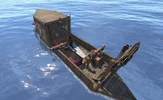
- oxide/data/RaidableBoats/Profiles/skiff.json -- Easy tier, small boat, high spawn weight
- oxide/data/RaidableBoats/Profiles/brigantine.json -- Medium tier, medium boat
- oxide/data/RaidableBoats/Profiles/galleon.json -- Hard tier, large boat, low spawn weight
- oxide/data/RaidableBoats/Profiles/man-o-war.json -- Nightmare tier, heavily armed
Configuration Exp.
Settings are stored in the config file found under the config/ directory. You can edit this file manually, then reload the plugin to apply your changes.- Maximum Active Boats -- Hard cap on how many raidable boats can exist at the same time
- Block Player Building On Boats -- Prevents players from placing deployables on or near raid boats
- Block Entity Pickup On Boats -- Prevents players from picking up entities attached to the boat
- Block Mounting Steering Wheel -- Prevents players from sitting at the helm
- Block Boat Editing -- Prevents pushing or rotating the boat
- Block Sail Interaction -- Prevents players from raising, lowering, or rotating sails
- Block Anchor Interaction -- Prevents players from dropping the anchor. The plugin automatically raises anchors if they are lowered
- Block Player Cannon Interaction -- Prevents players from mounting or firing cannons
- Block Engine Interaction -- Prevents players from starting, stopping, reversing, or fueling engines
- Lock Doors With Code Locks -- Attaches random code locks to lockable doors
- Door Lock Chance Percentage -- Chance each door gets locked
- Lock Storage Containers With Code Locks -- Attaches random code locks to storage containers that support locks
- Container Lock Chance Percentage -- Chance each container gets locked
- Never Lock These Prefabs -- Full prefab paths that should never receive code locks
- Prefabs Exempt From Building Block -- Full prefab paths that players are allowed to place even with building block enabled (e.g., ladders for boarding)
- Enable Auto Lights At Night -- When true, light entities on the boat (lanterns, tuna lights, searchlights, ceiling lights, Chinese lanterns, jack o'lanterns) automatically turn on at night (18:00) and off in the morning (07:00). Furnaces and campfires are not affected
- Chat Prefix Text -- Text shown before chat messages from the plugin
- Chat Prefix Color -- Hex color for the chat prefix
Spawn Settings
- Enable Scheduled Spawning -- Spawns a new boat at regular intervals
- Scheduled Spawn Interval In Minutes -- Time between scheduled spawn attempts
- Minimum Online Players For Scheduled Spawn -- Minimum player count required for both scheduled and maintained spawns
- Enable Maintained Spawning -- Continuously checks and spawns boats to maintain the target count
- Maintained Ocean Boat Count -- How many ocean boats the plugin tries to keep active at all times
- Allowed Ocean Biomes For Spawning -- Restricts ocean spawn positions to specific biome regions. Accepts: Arid, Temperate, Tundra, Arctic, Jungle. Note: DeepSea is not valid here -- Deep Sea spawning is controlled separately
- Minimum Distance Between Boats -- Minimum spacing between active raidable boats
- Minimum Distance From Shore -- How far from land ocean boats must spawn
- Minimum Distance From Monuments -- Minimum distance from monuments for ocean spawn positions
- Enable Deep Sea Spawning -- When true, raidable boats can also spawn and navigate within the Deep Sea zone
- Maximum Active Deep Sea Boats -- Hard cap on how many raidable boats can exist in the Deep Sea at the same time. Still subject to the global Maximum Active Boats limit
- Maintained Deep Sea Boat Count -- How many Deep Sea boats the plugin tries to keep active. Works alongside the ocean maintained count
- Minimum Distance From Deep Sea Structures -- Minimum distance boats must maintain from Deep Sea structures (islands, floating cities, ghost ships, portals) when spawning and navigating
Difficulty Tiers
All multipliers are applied to base values from other config sections. You can add, rename, or remove tiers -- just ensure your profiles reference valid tier names.
- Defender Health Multiplier -- Multiplied against the base health of gunners and helmsmen
- Defender Count Multiplier -- Multiplied against Gunners Per Boat to determine how many cannons are crewed
- Loot Amount Multiplier -- Scales item amounts in loot containers
- Cannon Accuracy Multiplier -- Higher values reduce cannon aim offset (more accurate)
- Cannon Fire Rate Multiplier -- Higher values reduce time between cannon shots (faster firing)
- Reward Amount Multiplier -- Scales Economics and Server Rewards payouts
- Dismounted Combat Damage Multiplier -- Scales per-hit damage when npcs fight dismounted
- Dismounted Combat Accuracy Multiplier -- Scales hit chance when npcs fight dismounted
- Boat Health Multiplier -- Scales the boat's maximum and current health on spawn. Values above 1.0 make the hull tankier, values below 1.0 make it weaker
- Map Marker Color -- Color of the map marker radius circle for boats of this tier
- Announcement Color -- Color used when the difficulty name appears in chat announcements
NPC Defender Settings
- Gunner Base Health -- Base HP for cannon gunners before the difficulty tier multiplier is applied
- Gunners Per Boat -- Base number of cannon gunners to spawn. Multiplied by the tier's Defender Count Multiplier, then capped at the number of available cannons on the boat
- Defender Display Name -- Display name shown for NPC defenders
- Make Gunners Invincible -- When true, cannon gunners cannot be damaged
- Starting Cannonballs Per Cannon -- Ammo placed in each cannon's hidden stash
- Infinite Cannonballs -- When true, ammo stashes are automatically refilled after each shot
- Enable Defender Respawn After Death -- Dead npcs respawn at their original station after a delay
- Defender Respawn Delay In Seconds -- Time before a killed NPC respawns
- Gunner Loadout Kits -- List of possible loadouts for gunners. One is chosen randomly per spawn. See Loadout Kits
- Helmsman Loadout Kits -- List of possible loadouts for the helmsman
- Gunner Loot Table -- Items dropped by gunners on death. See Loot Table Format
- Helmsman Loot Table -- Items dropped by the helmsman on death
- Enable Helmsman NPC On Steering Wheel -- Whether to spawn a helmsman. Without one, the boat does not navigate
- Helmsman Base Health -- Base HP for the helmsman before difficulty multiplier
- Enable Gunner Dismount Combat -- When true, gunners leave their cannons to fight players who board the boat
- Gunner Dismount Trigger Range -- Distance at which a gunner will proactively dismount to engage a visible player
- Gunner Retaliation Range -- Extended range at which a gunner dismounts when directly shot by a player
- Gunner Dismounted Damage Per Hit -- Base damage per hit when a gunner fights dismounted (before tier multiplier)
- Gunner Dismounted Accuracy -- Base hit chance for dismounted gunner combat (before tier multiplier)
- Enable Helmsman Dismount Combat -- Same as gunner dismount, but for the helmsman. When the helmsman dismounts, the boat stops moving
- Helmsman Dismount Trigger Range -- Proactive dismount range for the helmsman
- Helmsman Retaliation Range -- Extended dismount range when the helmsman is shot
- Helmsman Dismounted Damage Per Hit -- Base damage for dismounted helmsman `combat
- Helmsman Dismounted Accuracy` -- Base hit chance for dismounted helmsman combat
Loadout Kit Format
Each loadout kit defines what an NPC spawns with. One kit is randomly selected from the list each time an NPC spawns.- Weapon Shortname -- Item shortname for the weapon given to the NPC during dismounted combat
- Weapon Skin ID -- Skin ID applied to the weapon. Set to 0 for default
- Ammo Shortname -- Ammo type placed in the NPC's inventory for the weapon
- Ammo Amount -- How much ammo to give
- Clothing Shortnames -- List of clothing item shortnames equipped on the NPC
Loot Table Entry Format
Used in NPC death loot tables, the default loot table, and custom profile loot tables.- Item Shortname -- Rust item shortname
- Minimum Amount -- Minimum stack size (inclusive)
- Maximum Amount -- Maximum stack size (inclusive). A random value between min and max is chosen
- Drop Chance Percent -- Chance this entry is included
- Skin ID -- Skin applied to the item. 0 for default
- Is Blueprint -- When true, creates a blueprint of this item instead of the item itself
- Custom Item Display Name -- Overrides the item's display name. Leave empty for default
Cannon Settings
- Maximum Engagement Range -- Cannons only fire at targets within this distance
- Minimum Engagement Range -- Targets closer than this are ignored (dead zone to prevent self-damage)
- Time Between Shots -- Base cooldown between cannon shots (divided by the tier's fire rate multiplier)
- Aim Accuracy Offset -- Random positional offset applied to cannon aim. Higher values mean less accurate shots. Divided by the tier's accuracy multiplier
- Reload Time -- Time to reload a cannonball before firing
- Cannonball Fuse Time -- Delay before the cannonball detonates after firing
Navigation Settings
- Minimum Waypoint Distance -- Minimum distance for the next waypoint from the boat's current position
- Maximum Waypoint Distance -- Maximum distance for the next waypoint
- Idle Duration At Waypoint -- How long the boat drifts at a waypoint before picking a new destination
- Spawn Height Above Water -- Height offset above water level when spawning the boat
- Stop Duration After Collision -- How long the boat pauses after colliding with a player boat
Loot Settings
- Default Loot Table -- The loot table used when a profile has Loot Source set to "Plugin" and no custom loot table defined. Each container on the boat independently rolls against the table. See Loot Table Entry Format for entry structure
Raid Completion Settings
- Require Minimum Loot Percentage Looted -- When true, the raid completes only after a percentage of loot items have been taken from containers
- Minimum Loot Percentage Required -- The threshold percentage of items that must be removed
- Require All Defenders Killed -- When true, all npcs must be dead (with respawn disabled) for the raid to complete. When both conditions are enabled, both must be met
- Break Locked Doors When Boat Hull Is Destroyed -- When true, all locked doors on the boat are destroyed when the boat hull itself is killed, giving raiders access to locked rooms
Despawn Settings
- Maximum Boat Lifetime -- Boats are forcibly despawned after this many minutes regardless of state
- Inactive Timeout -- If a raid is engaged but no progress is made within this time, the boat despawns. A warning is sent to raiders before this happens
- Drop Floating Loot When Boat Sinks -- When true, remaining loot in containers is dropped as floating item containers when the boat sinks
- Floating Loot Despawn Time -- How long floating loot containers persist before being removed
Map Marker Settings
- Enable Map Markers -- Whether to show markers on the map for raidable boats
- Use Vending Machine Marker -- Uses a vending machine marker that displays a name label on the map
- Default Marker Color -- Fallback color if the difficulty tier has no color configured
- Marker Radius On Map -- Size of the radius circle marker on the map
- Marker Display Label -- Text displayed on the vending machine marker. Use {difficulty} as a placeholder for the tier name
- Position Update Interval -- How often the marker position is updated as the boat moves
Announcement Settings
- Announce When Boat Spawns -- Broadcasts a chat message when a new raidable boat appears
- Announce When Raid Is Engaged -- Broadcasts when a player begins attacking a boat
- Announce When Raid Is Completed -- Broadcasts when a raid is successfully completed
- Announce When Boat Despawns -- Broadcasts when a boat despawns due to timeout
- Announcement Radius -- Set to 0 for server-wide announcements. Any other value limits announcements to players within that radius
Reward Settings
- Enable Economics Reward On Completion -- Deposits currency to all raiders when the raid completes. Requires Economics
- Economics Base Amount -- Base currency amount, multiplied by the tier's Reward Amount Multiplier
- Enable Server Rewards On Completion -- Awards points to all raiders. Requires Server Rewards
- Server Rewards Base Points -- Base points amount, multiplied by the tier's Reward Amount Multiplier
- Enable XPerience XP Reward On Completion -- Awards XP to all raiders. Requires the XPerience plugin
- XPerience XP Base Amount -- Base XP amount, multiplied by the tier's Reward Amount Multiplier
- Enable Skill Tree XP Reward On Completion -- Awards XP to all raiders. Requires the Skill Tree plugin
- Skill Tree XP Base Amount -- Base XP amount, multiplied by the tier's Reward Amount Multiplier
Statistics Settings
- Enable Statistics Tracking -- When true, per-player raid statistics are tracked and saved (raids completed, NPC kills, damage dealt, per-difficulty breakdowns)
- Push Stats To UltimateLeaderboard Plugin -- When true, raid statistics are pushed to the Ultimate Leaderboard plugin after each raid completion. See Ultimate Leaderboard Integration for setup instructions and available prefabs
- Chat Stats Command -- The chat command name players use to view their stats (e.g., "stats" registers /stats). Change this if another plugin (such as Raidable Bases) already uses the same command name
Ownership Settings
- Enable Raid Ownership -- When true, the first player to engage a raidable boat (by boarding, damaging, or looting) claims ownership. Non-owners and non-allies are blocked from looting, damaging, mounting, and interacting with the boat, and npcs will ignore them
- Lock Timeout Minutes -- After this many minutes of inactivity from the owner and their allies, ownership expires and the boat becomes available for anyone to claim
- Use Rust Teams -- When true, members of the owner's Rust team are treated as allies and can participate in the raid
- Use Clans Plugin -- When true, members of the owner's clan are treated as allies. Requires Clans
- Use Friends Plugin -- When true, the owner's friends are treated as allies. Requires Friends
Ultimate Leaderboard Integration
Raidable Boats can push player raid statistics to Ultimate Leaderboard for server-wide rankings.Set the following in your Raidable Boats config under Statistics Settings:
JSON
"Push Stats To UltimateLeaderboard Plugin (Requires UltimateLeaderboard Installed)": true
Add fields to your Ultimate Leaderboard config for each stat you want to track. The Type for every field must be "Event".
Available prefabs:
- raidableboats_total_raids_completed -- All raids completed (any difficulty)
- raidableboats_easy_wins -- Easy raids won
- raidableboats_medium_wins -- Medium raids won
- raidableboats_hard_wins -- Hard raids won
- raidableboats_nightmare_wins -- Nightmare raids won
- raidableboats_defenders_killed -- NPC defenders killed
- raidableboats_helmsmen_killed -- Helmsmen killed
- raidableboats_escort_crew_killed -- Escort crew killed
- raidableboats_damage_dealt -- Total damage dealt to boats and defenders (integer)
{
"Title": "RAIDABLE BOATS",
"Fields": [
{
"Type": "Event",
"Image URL": "",
"Title": "Total Raids Completed",
"Prefab": "raidableboats_total_raids_completed",
"Second Prefab": null
},
{
"Type": "Event",
"Image URL": "",
"Title": "Easy Wins",
"Prefab": "raidableboats_easy_wins",
"Second Prefab": null
}
]
}